
| Free Edition (Version 3.0.1) | Standard Edition (Version 3.0.1) |

|

|
 Allows end users to manage group membership for any groups that they are assigned as the manager of in Active Directory
If you have ever assigned a user as a manager of a security/distribution group in Active Directory, you may have noticed the option "Manager can update membership list" which
grants the user permission to add and remove members from this group. The only problem with this is that
there is no easy way for the user to actually make these changes,
other than through Microsoft Outlook.
So Group Manager was designed to be an easy to use tool for end users to add and remove users/contacts/groups to any groups that they are managers of, for any organisations that do not have (or do not want to use) Microsoft Outlook for this task.
It will also be useful for any organisations that are using Outlook but are moving to a hosted Exchange solution, as end users will not be able to make changes to the local domain through Outlook in this scenario.
Features
 Allows end users to add/remove members from any groups that they are the manager of in Active Directory
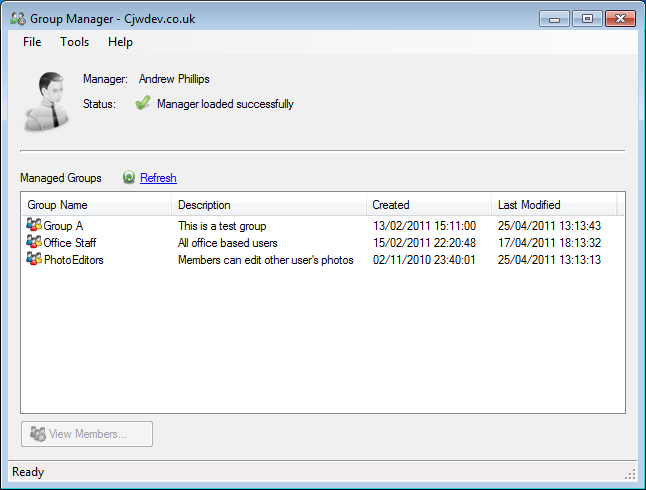
No configuration required - automatically detects current user and finds groups that they manage
Add members from other domains in the forest (option to use Global Catalog for searches) and from external domain trusts
Manage via Group Policy - control which columns users see for each group and member, whether or not they can remove existing members, and more
Detects groups that are managed via group membership, i.e. the user is a member of Group A and Group A is set as the manager of Group B
Users can lookup managers for other groups they are not the manager of (this feature can be disabled by Group Policy)
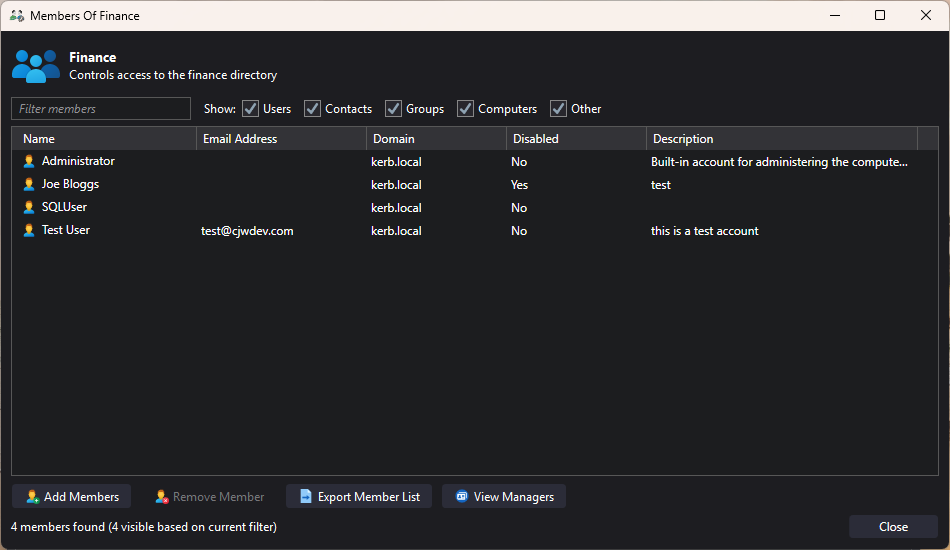
Export group memberhip lists to CSV file
Click here for Group Policy ADM file that allows control of all programs options via Group Policy and a guide that explains how to use it.
Free Edition Limitations
The free edition is intended to be used by smaller organisations where users only manage a single group (or by anyone that wants to try the application out before purchasing the standard edition). As it is only able to manage a single group, if the user is a manager of more than one group then they will only see the first group found.
Screenshots - Click to enlarge
| Main Window | Viewing Members |
|
|